
Handling change orders is the formal dance of documenting, reviewing, approving, and putting into action any shift from a project's original contract. It's the essential framework that keeps a project's scope, schedule, and budget in check, making sure everyone involved is on the same page.
Why Change Orders Are an Inevitable Part of Construction
Let's clear up a common misconception right away: change orders aren't a sign that someone messed up. In reality, they are a normal and necessary part of every single construction project. They're simply the mechanism for controlled evolution. The first step toward mastering the process is to stop seeing them as crises and start treating them as manageable events.
Changes pop up for all sorts of reasons. It could be the client suddenly wanting a higher-grade finish for the lobby flooring, or the excavation crew hitting an unexpected layer of bedrock that forces a redesign of the foundation. These kinds of adjustments aren't just common—they're practically guaranteed.
From Obstacles to Opportunities
If you think of every change order as an obstacle, you’re setting yourself up for a confrontational project. Experienced project managers know better. They go into a job expecting changes because they understand the initial blueprint is a well-informed starting point, not the final word set in stone.
This shift in mindset is everything. When a team is prepared for change, a new request doesn't cause panic. Instead, it triggers a calm, documented process. You move from a reactive "firefighting" mode to a proactive "solution-managing" one.
A well-managed change order is simply a documented conversation that protects the owner, the architect, and the contractor. It clarifies expectations and ensures fair compensation for new work, turning a potential point of conflict into a moment of structured collaboration.
The numbers don't lie. Research from the American Institute of Architects (AIA) looked at over 18,000 projects and found that 100% of them had at least one change order. The bigger the project, the more changes you can expect—smaller jobs averaged 1.7 change orders, while larger ones had nearly 12. You can dig into the AIA's findings to see how project scale and other factors come into play.
Ultimately, successful change order management comes down to having a solid system in place. A good process can absorb these modifications without derailing the entire project. The table below breaks down some of the most common triggers and what they typically mean for your schedule and budget.
Common Triggers for Construction Change Orders and Their Impact
This table breaks down the most frequent reasons change orders are initiated and the corresponding effects they have on project timelines and budgets.
| Change Order Trigger | Description | Typical Impact on Schedule | Typical Impact on Cost |
|---|---|---|---|
| Owner-Requested Changes | The client decides to add, remove, or alter a feature after the contract is signed (e.g., upgrading materials, changing a room layout). | Moderate to High | Moderate to High |
| Errors or Omissions | Mistakes or missing details in the original plans and specifications are discovered during construction. | High | High |
| Unforeseen Site Conditions | Unexpected issues are found on-site, such as poor soil quality, hidden utilities, or hazardous materials. | Moderate to High | Moderate to High |
| Design Changes | The architect or engineer refines the design to improve functionality, aesthetics, or performance. | Low to Moderate | Low to Moderate |
| Material/Labor Availability | A specified material becomes unavailable or delayed, or there's a shortage of skilled labor, requiring substitutions. | Moderate | Low to Moderate |
| Code Revisions | A building code or regulation changes after the project has started, forcing a design or construction adjustment. | Low to Moderate | Low to Moderate |
Understanding these common triggers is the first step. With this context, we can now dive into the practical strategies and workflows needed to manage them effectively.
Building a Bulletproof Change Order Workflow
Flying by the seat of your pants with change orders is a sure-fire way to blow your budget, wreck your schedule, and sour relationships. Instead of reacting to every little shift, the pros build a structured, repeatable workflow. This isn't about adding red tape; it's about creating a clear and predictable path that protects everyone involved when things inevitably change.
The whole process kicks off the second someone spots a potential deviation from the contract. Catching it early is everything. A sub who notices a clash between the prints and what's actually on-site, or an owner who casually mentions a "small idea" they just had—both are triggers that need to be captured and documented right away. Ignoring these whispers is how a tiny tweak snowballs into a major project headache.
Most of the time, change orders bubble up from one of a few common sources: the client wants an upgrade, the site throws you a curveball, or there's an error or omission in the design that needs fixing.
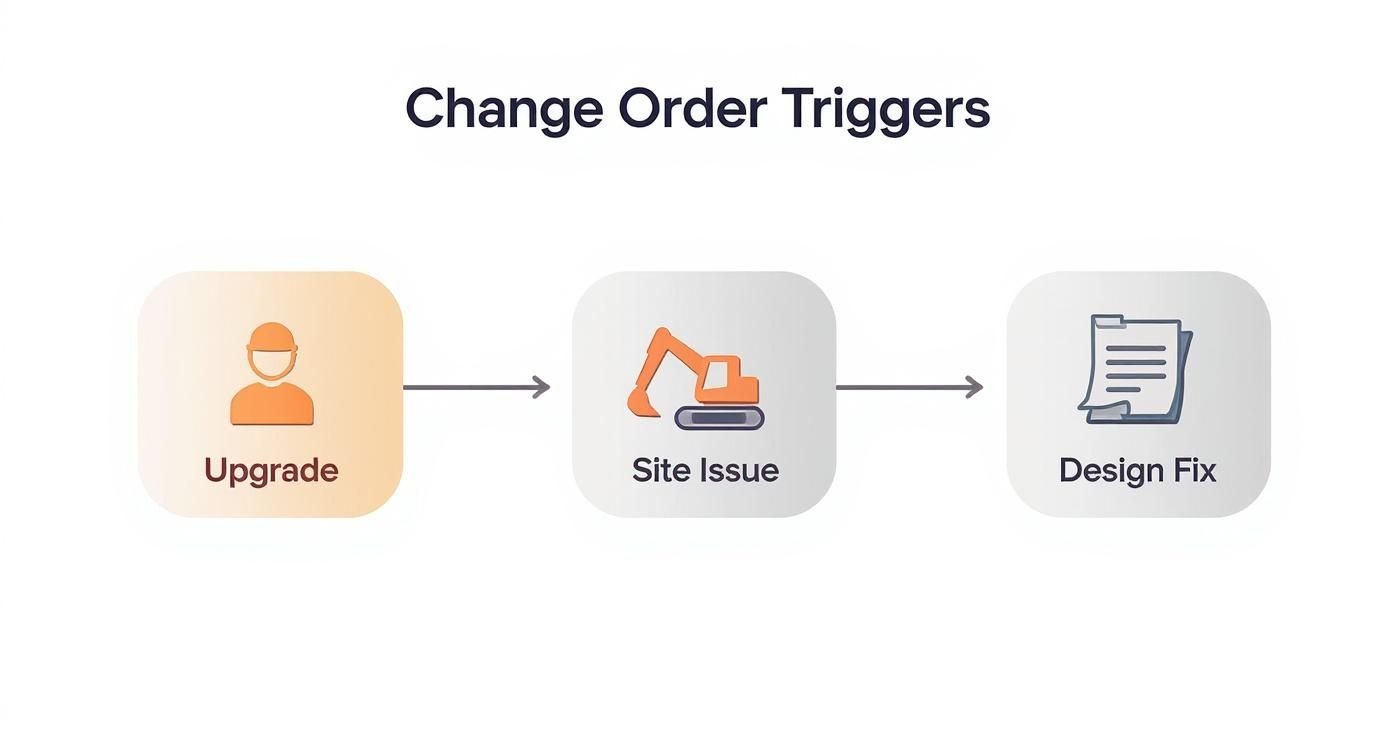
As you can see, changes can come from anywhere—client inspiration, real-world discoveries, or a simple blueprint correction. Each one needs to be managed through the same steady, consistent process.
Crafting an Undeniable Change Order Request
Once you've identified a potential change, you need to formalize it with a Change Order Request (COR). Think of this document as your opening argument. A sloppy, half-baked COR is an invitation for pushback and delays. A well-crafted one greases the wheels for a smooth approval.
A truly solid COR does more than just say what's changing; it builds an airtight case. Here’s what it must include:
- A Detailed Scope: Get specific. "Relocate wall" isn't going to cut it. You need something like, "Relocate the north wall of Office 101 three feet east. Scope includes demolition of existing wall, new steel stud framing, GWB on both sides, Level 4 finish, prime and two coats of paint to match existing, and relocation of two (2) electrical duplex outlets and one (1) data port."
- Clear Justification: You have to explain why this is necessary. Is it an owner directive? A response to an unforeseen condition? Reference the specific RFI, drawing number (e.g., A-2.1), or meeting where the change was discussed. This context is critical.
- A Transparent Cost Breakdown: This is non-negotiable. Break down the costs for materials, labor (with rates and estimated hours), equipment, and any sub-tier contractor quotes. Your markup for overhead and profit, typically a standard 10-15%, should have already been defined in the prime contract.
- A Realistic Schedule Analysis: Don't just guess how much time it will add. The COR needs to clearly state the impact on the project timeline, showing exactly how many days are needed and how this change affects other critical path activities.
Navigating the Approval and Integration Process
With your rock-solid COR in hand, it's time for negotiation and approval. This shouldn't feel like a battle. When you present clear, thorough information, you’re not arguing; you're collaborating with the owner and architect to make an informed decision. Get the COR to them quickly, walk them through it, and be ready to explain the cost and schedule impacts.
The best negotiations happen when there's a foundation of trust and transparent data. A well-documented COR shifts the conversation away from haggling over price and toward collaboratively solving a problem for the good of the project.
Once the COR is signed by all the right people, it officially becomes a Change Order. But you're not done yet. The final, and most frequently missed, step is to weave that approved change back into the project's DNA.
This means taking several key actions immediately:
- Update the Contract: The change order is a legal amendment. It needs to be formally logged, numbered, and filed with the original contract documents.
- Adjust the Budget: The project's master budget must be revised right away to reflect the new contract value.
- Revise the Master Schedule: Any time extension from the change order has to be incorporated into the project schedule, pushing out milestones and the completion date accordingly.
- Distribute the Information: Get the approved change into the hands of the people who need it. The superintendent, the foreman, and the specific subs doing the work all need the updated drawings, specs, and direction.
Skipping this final integration phase is a rookie mistake. An approved change order that lives in a folder but not in the master plan creates chaos on site. It’s the very thing this workflow is designed to prevent. A bulletproof process follows the change from the first spark all the way to seamless execution in the field.
Clarifying Roles to Prevent Project Gridlock
Nothing grinds a project to a halt faster than confusion over a change order. When a change request lands and nobody's quite sure who owns the next step, you get a classic case of finger-pointing, missed emails, and delays that bleed money. A solid change order process isn't just about forms and software; it’s about people knowing exactly what they’re supposed to do and when.
Ambiguity is the enemy of progress on a job site. If roles aren't crystal clear from the pre-construction meeting, a simple owner request can trigger a chain reaction of chaos. The owner might think a verbal "go-ahead" is enough, the architect could sit on a technical review for a week, and the general contractor is left stuck in the middle, unable to price the work or direct their subs.
This kind of gridlock is entirely preventable. By defining and communicating each stakeholder's role before the first change order ever appears, you build a system of accountability. Everyone knows their part, from initiation to execution.
The Owner and The Architect
The Owner is the ultimate decision-maker. They're the one who typically initiates or must approve any change that impacts the budget or the timeline. Their most critical responsibility? Providing clear, timely decisions. A "maybe" or a delayed response has a serious ripple effect, holding up material procurement and scheduling for multiple trades down the line.
The Architect or Engineer is the technical authority. Their main job is to review a proposed change for design intent, code compliance, and sheer feasibility. They're the ones who ensure that a requested modification fits the overall project vision and won't create some unintended structural or MEP conflict. Their swift and thorough review is what keeps the process moving.
Think about a common scenario: an owner decides they want to add a large window to an exterior wall.
- The Owner formally submits the request, usually to the GC.
- The GC immediately forwards it to the Architect for a technical review.
- The Architect has to verify if the change is structurally sound, how it affects the building envelope's performance, and if it still meets energy codes before giving a technical green light.
A delay on the architect’s desk can stall the entire process before anyone even talks about price.
The General Contractor and Subcontractors
The General Contractor (GC) is the central hub of the entire change order process. Think of them as the conductor of the orchestra. They're responsible for receiving the initial request, coordinating with the design team, and—most importantly—pricing the work and figuring out the real impact on the schedule. The GC gathers quotes from all affected subcontractors, compiles them into a comprehensive Change Order Request (COR), and presents the complete package to the owner for a final decision.
The Subcontractors are the boots on the ground, the specialists who provide the real-world cost and time estimates for their specific trades. When a GC asks for a price on a change, the subs have to respond quickly and accurately. Their input is the foundation of the whole COR; without it, the GC can't give the owner the complete picture. This is why clear, detailed communication from the GC to the subs is so vital—it prevents pricing errors and misunderstandings about the scope.
A well-defined responsibility matrix, often called a RACI chart, is one of the most powerful tools a project team can use. It strips away all the guesswork by mapping out exactly who is Responsible, Accountable, Consulted, and Informed for every step of the change order lifecycle.
To clear up any confusion from the start, we use a responsibility matrix like the one below. It's a simple but effective way to ensure everyone is on the same page.
Change Order Responsibility Matrix (RACI Chart)
| Task/Decision Point | Owner | Architect/Engineer | General Contractor | Subcontractor |
|---|---|---|---|---|
| Identifies Need for Change | R | C | C | C |
| Submits Formal Request for Change | A | C | R | I |
| Reviews for Design & Technical Feasibility | C | A | R | C |
| Develops Scope & Gathers Sub Quotes | I | C | A | R |
| Prepares Cost & Schedule Impact Analysis | I | C | A | R |
| Submits Formal Change Order Request (COR) | C | I | A | I |
| Approves/Rejects Change Order Request | A | C | I | I |
| Issues Executed Change Order | A | I | R | I |
| Updates Contract Documents | C | R | A | I |
| Performs the Changed Work | I | I | A | R |
| Documents & Verifies Completed Change | I | C | A | R |
This chart isn't just a document to be filed away; it's a living guide that prevents communication from breaking down. It ensures the right people are involved at the right time, turning what could be a contentious process into a smooth, collaborative effort.
By establishing this kind of clarity upfront, you transform change order management from a source of friction into just another structured, predictable part of running a successful project.
Creating Documentation That Stands Up to Scrutiny
When a change order goes sideways and fingers start pointing, your documentation is the only thing that matters. It’s your first, last, and best line of defense against claims, disputes, and costly litigation. Creating records that leave zero room for ambiguity isn’t just good practice; it's a fundamental part of risk management on any job site.
The goal here is to build an ironclad paper trail that tells the whole story of the change from start to finish. Every phone call, every sketch, every decision needs to be captured in a way that an outsider could piece together months—or even years—down the road. A vague note on a napkin or a quick "yeah, go ahead" in the hallway is an open invitation for trouble.

Anatomy of a Bulletproof Change Order Form
The foundation of any solid documentation system is a standardized change order form that’s used religiously on every project. While the specific layout can vary, a truly "bulletproof" form has several non-negotiable fields that cut through the noise and create a crystal-clear record. Think of it as your pre-flight checklist for any scope modification.
A robust form absolutely must include:
- Unique Tracking Number: Simple and sequential (like CO-001, CO-002) so you can find it instantly.
- Clear Project Identifiers: The official project name, number, and site address. No confusion about which job it belongs to.
- Detailed Description of Change: This is the heart of the document. You have to spell out exactly what work is being added or removed, referencing specific drawing numbers, spec sections, and RFIs.
- Justification for the Change: Get to the why. Is this an owner request? A design omission that just surfaced? An unforeseen site condition?
- Comprehensive Cost Breakdown: The price needs to be transparent. Break it down into labor, materials, equipment, sub costs, and the contractually defined markup for overhead and profit.
- Schedule Impact Statement: How many calendar days will this add to or subtract from the completion date? If there's no impact, you must explicitly state "zero (0) days" to avoid ambiguity.
- Signature and Date Blocks: Designated lines for the owner, contractor, and sometimes the architect to formally execute the agreement.
This isn't just a memo; this level of detail turns the form into a legally binding amendment to your original contract.
The Power of the Central Change Order Log
Individual forms are critical, but they're only one piece of the puzzle. The real magic happens when you maintain a central change order log. This master document, whether it's a spreadsheet or a dedicated module in your PM software, gives you a live, at-a-glance dashboard of every single change on the project.
A well-kept log tracks the vitals for every Change Order Request (COR) and executed Change Order (CO).
| Log Entry | Status | Description | Cost Impact | Schedule Impact |
|---|---|---|---|---|
| COR-007 | Approved | Relocate lobby reception desk | +$7,250 | +3 days |
| COR-008 | Pending Owner Review | Add exterior security cameras | +$11,400 | +5 days |
| COR-009 | In Pricing | Upgrade flooring in Break Room | TBD | TBD |
| CO-006 | Executed | Deduct value engineering for lighting | -$4,800 | 0 days |
This log becomes an indispensable tool for project managers. It immediately shows the cumulative financial and schedule impact of all changes, prevents items from falling through the cracks, and acts as the single source of truth in owner meetings. Getting a handle on process documentation best practices is what makes the difference between a clean closeout and a messy dispute.
Communication Protocols That Actually Work
Even the best forms and logs are useless if your communication is a disorganized mess. The final piece of the documentation puzzle is establishing clear protocols for how information flows. Effective change management isn’t just about paperwork; it's about making sure the right people are talking at the right time.
Cautionary Tale: A contractor on a mid-rise project moved a series of interior walls after getting a verbal nod from the owner's rep on site. The formal paperwork got pushed to the back burner. When the final invoice hit, the owner balked at the $45,000 charge, claiming they misunderstood the scope. With no signed change order, the contractor was stuck in a months-long legal battle and ended up eating most of the cost.
This is exactly why meticulous, real-time record-keeping is non-negotiable. It’s not about adding bureaucracy—it’s about protecting your bottom line. By combining detailed forms, a central log, and clear communication, you build a fortress of documentation that protects your budget, your schedule, and your business.
Protecting Your Budget and Project Timeline
A change order does more than just tweak the scope—it directly meddles with the financial and scheduling DNA of your project. If you don't have a firm grip on both, even a seemingly minor change can set off a chain reaction of cost overruns and delays, putting the entire job at risk. You have to be proactive and methodical about pricing the change and, just as importantly, analyzing its ripple effects.
The way you price a change order really sets the tone for fairness and transparency. Choosing the right method is critical, and it all comes down to the nature of the work. You wouldn't price a simple light fixture swap the same way you'd price the removal of an unexpected rock ledge discovered during excavation.

Choosing the Right Pricing Method
Your contract should spell out the approved pricing methods, but knowing which one to use in a given situation is a skill learned in the trenches. Most scenarios fall under one of three main approaches, and each has its place.
-
Lump Sum: This is your classic fixed price for the whole change. It’s perfect for well-defined adjustments where there are no unknowns, like changing from one specified type of flooring to another. The owner gets cost certainty right away, and the contractor knows exactly what they're getting paid. No surprises.
-
Time and Materials (T&M): When you run into unforeseen conditions or work with a scope you can't pin down, T&M is the only way to go. The contractor bills for their actual labor hours and material costs, plus a pre-agreed markup, which is often in the 10-15% range. This is the go-to for emergency repairs or when trying to estimate the work up front would be pure guesswork.
-
Unit Pricing: This method is a lifesaver for changes that involve quantifiable items where you don't know the final quantity yet. For example, if you hit bad soil and need to over-excavate, you can price the change per cubic yard of soil removed and new fill brought in. It’s a transparent, scalable way to price the work based on an agreed-upon rate.
A rookie mistake is trying to apply one method to every single change. If you try to lump sum an unpredictable task, the contractor could get burned. On the flip side, using T&M for a simple, defined task can make an owner feel like they're signing a blank check. The real skill is matching the method to the situation.
Defending Your Schedule with a Time Impact Analysis
Cost is only half the story. One of the biggest friction points in managing change orders is agreeing on a fair time extension. Just saying, "this will take five more days," won't cut it. You have to prove it. This is where a Time Impact Analysis (TIA) becomes your most valuable ally.
A TIA is a formal analysis showing exactly how a proposed change affects the project's critical path—that sequence of activities that dictates your completion date. This isn’t a gut feeling; it’s a calculated, methodical process.
A Time Impact Analysis turns a subjective argument about delays into an objective, data-backed conversation. It shifts the discussion from "I think we need more time" to "Here is the network logic showing exactly how this change adds seven days to the critical path."
To do a proper TIA, you have to insert the new activities from the change order directly into the project schedule. Then, you link them logically to the tasks that come before and after. When you rerun the schedule calculation, the real impact on the project's end date becomes clear as day. This hard evidence is what gives you leverage.
Negotiating with Confidence and Collaboration
When you walk into a meeting armed with transparent pricing and a solid TIA, you’re prepared for a productive conversation, not a confrontation. The goal isn’t to "win" the negotiation; it's to reach a fair agreement that keeps the project moving forward for everyone.
Here are a few tips I've picked up over the years for getting to that point:
- Present Data, Not Demands: Always lead with the facts. Show the owner and architect your cost breakdown and walk them through the TIA schedule. When they can see the logic behind the numbers and the timeline, it’s much harder to argue with the conclusion.
- Focus on the Project's Health: Frame the entire conversation around what’s best for the project. Keeping the schedule intact and making sure everyone is compensated fairly for extra work benefits the entire team and maintains momentum on site.
- Stay Collaborative: Keep the tone professional and focused on finding a solution. Think of a change order as a shared problem to solve, not a battle to be won. Those relationships are what will carry you through to a successful project completion.
At the end of the day, controlling the impact of changes boils down to process and proof. When you systematically price the work and analytically prove the schedule impact, you protect your budget, defend your timeline, and turn a potential conflict into just another manageable part of the job.
Using Technology and Handling Unique Project Demands
In today's construction world, trying to manage change orders with spreadsheets and email chains is just asking for trouble. It's a recipe for version control nightmares, lost messages, and delays that eat directly into your profit margin. Let's be honest, that manual approach just doesn't cut it anymore.
This is where dedicated construction management software, like Procore or Autodesk Construction Cloud, really shows its worth. These tools take the entire chaotic process and give it structure. A potential change can be logged right from a tablet in the field, which instantly starts a digital workflow. That Change Order Request (COR) is then automatically sent to the right people in the right order—from the PM, to the architect, and finally to the owner for the green light. The best part? Everyone can see exactly where a change stands in real-time. No more chasing people down for an update.
The features that really move the needle for project teams include:
- Centralized Document Storage: Every RFI, photo, and subcontractor quote gets attached directly to the COR. This creates a single, bulletproof record.
- Automated Workflows: You can build custom approval chains, which means no step gets skipped and everyone is accountable for their part of the review.
- Financial Integration: Once a change order is approved, the system can automatically update the project budget, giving you a live, accurate view of your costs.
Special Considerations for Unique Projects
A standardized process is great, but some projects just don't play by the normal rules. I'm talking specifically about adaptive reuse and historic preservation jobs. On these projects, discovering unforeseen conditions isn't a risk—it's a guarantee.
When you're working on old buildings, you're often flying blind with incomplete or nonexistent drawings. You truly have no idea what's behind a wall or beneath a floorboard until you open it up. This level of uncertainty means your standard change order process needs a major adjustment.
On an adaptive reuse or historic preservation project, your contract has to be built for the unknown. You need clear provisions for dealing with unforeseen conditions, pre-agreed markups for T&M work, and a rock-solid process for documenting every discovery. This isn't just good practice; it's essential for managing risk.
Strategies for Managing Uncertainty
Contractors who excel at these unique projects build their entire process around navigating the unknown. The traditional change order model, which treats changes as annoying exceptions, simply fails here. You have to design a system that expects constant discovery and adjustment.
Here are a few tactics that work in the real world:
-
Build Flexibility into the Contract: Start with a contract that openly acknowledges the high likelihood of hidden issues. This means having clear language on how discoveries will be priced, often relying on Time and Materials (T&M) or pre-negotiated unit costs.
-
Conduct Intensive Preliminary Investigations: You'll never find everything, but you can get ahead of major headaches. Invest time upfront in non-destructive testing, GPR scanning, and even some targeted exploratory demolition to identify the big problems before you're deep into construction.
-
Establish a Contingency Protocol: Before the project starts, sit down with the owner and establish a clear plan for using the contingency fund. Define exactly what qualifies as an "unforeseen condition" and create a streamlined approval process for tapping into those funds. This keeps small issues from turning into big delays while you wait for a formal change order to be pushed through.
Answering Your Top Construction Change Order Questions
Even the most buttoned-up process can't account for every twist and turn on a job site. Questions are bound to come up. Let's tackle some of the most common ones that project managers wrestle with.
Can an Owner Refuse to Sign a Change Order?
Absolutely. An owner can, and often will, initially push back on a Change Order Request (COR). This usually boils down to a disagreement over the cost, a request for a time extension, or their belief that the work should have been covered under the original contract scope.
When this happens, your documentation is your best friend. You need to build a rock-solid case backed by hard evidence—think RFIs, photos of the unforeseen conditions, and direct references to the plans and specs. If an owner digs in their heels, you could be heading for a formal dispute. This is precisely why keeping a meticulous, real-time paper trail isn't just good practice; it's your ultimate line of defense.
What Is a Construction Change Directive?
A Construction Change Directive (CCD) is a different animal altogether. It’s essentially a top-down order from the owner or architect telling the contractor to get moving on a change before everyone has agreed on the final cost or schedule adjustment. CCDs are used to keep the project from grinding to a halt over negotiations, especially when the work is on the critical path.
The contractor is bound by the contract to perform the work in the CCD. The financial side of things gets sorted out later, typically formalized into a change order once the dust settles and all the true costs are tallied.
A Change Directive is basically an order to "work now, price it out later." It’s a tool to avoid gridlock but demands that you track every single cost meticulously so you get paid fairly for the work you've done.
How Do You Handle Multiple Small Changes?
It happens all the time: a series of small, related issues pop up in the same area. Instead of drowning in a sea of tiny change orders, the smart move is to bundle them. Group related Potential Change Orders (PCOs) into one consolidated Change Order Request (COR).
For instance, say an owner decides to tweak a single office layout. You can roll the wall relocation, the corresponding electrical moves, and the new flooring patch into one clear COR. This makes life easier for everyone involved in the approval chain. For more complex, on-the-fly issues, tools like augmented reality remote assistance can bring in an expert eye virtually, helping you troubleshoot and prevent a small issue from becoming a major change order.
Bundling keeps the paperwork from getting out of hand while ensuring every last adjustment is documented and signed off on before you proceed.
At Sherer Architects, LLC, we live and breathe the complexities of construction, from the first sketch to the final punch list. Our extensive background in commercial projects, adaptive reuse, and historic preservation gives us the foresight to anticipate challenges and manage change with a steady hand. We focus on building strong partnerships to steer your project away from potential pitfalls and toward well-managed, successful outcomes. If you're looking for a team that knows how to bring structure to life, let's talk. Connect with our team today to see how we can guide your next project to a profitable completion.